
Hood Warfare for New Android Players: Reading the Access Terms Before You Install
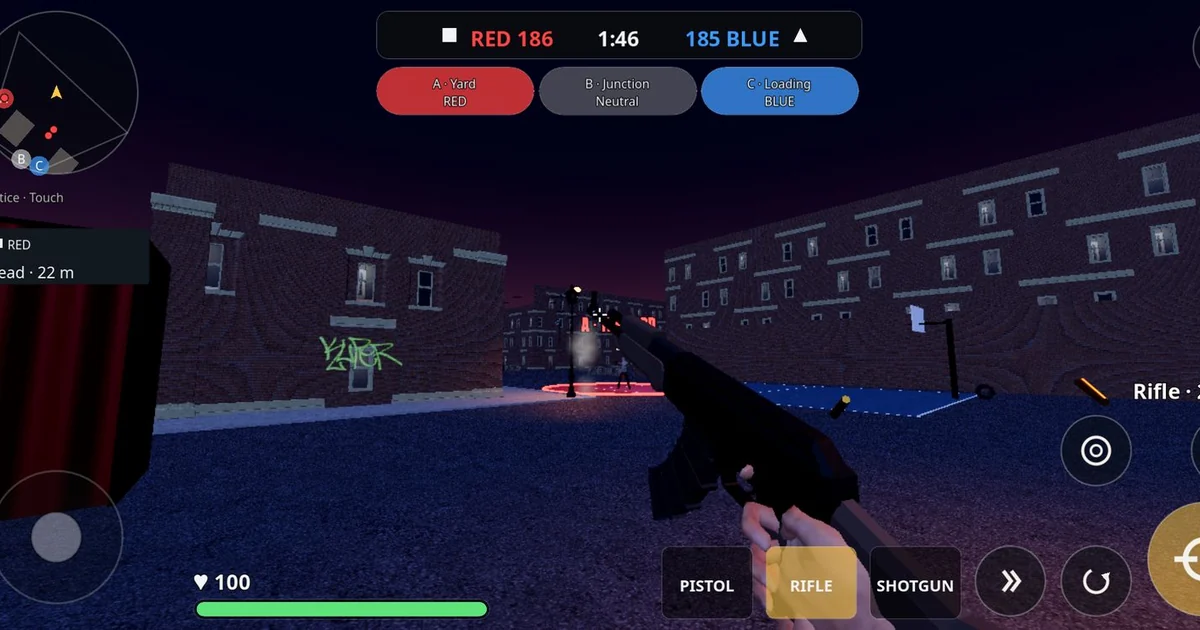
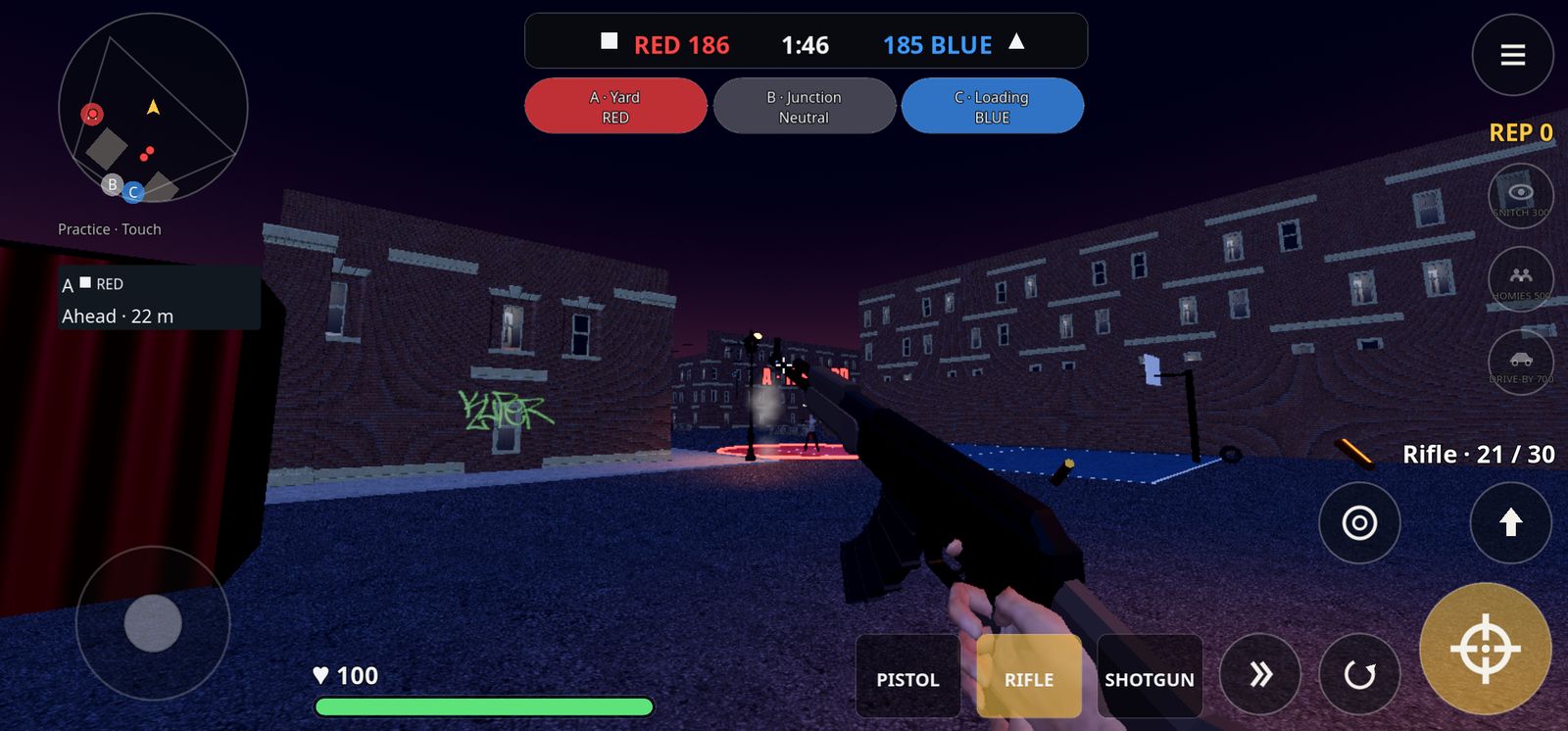
Hood Warfare is a fictional 4v4 hood turf-war shooter for Android, made by ToddMichaelTV and distributed as an APK through the official website, hoodwarfare.net. This guide is owned-network coverage: Hood Warfare is a brand in our publishing network, so treat this as a practical walkthrough rather than an independent third-party endorsement. The goal is to help you check the facts yourself before installing, buying, or spending time on any match.
Start With the Official Download Page
The most useful habit for any sideloaded game is to begin at the source. For Hood Warfare, the official download page is hoodwarfare.net. Because the game is distributed as an APK rather than through a major app store, the official site is where you should confirm what you are installing, which version it is, and what it costs to play online.
When this guide was checked on 2026-10-29, the public download page listed v0.3.0-beta, build 74f1651, a file size of roughly 290 MB, and a requirement of Android 10 or newer on a 64-bit device. Those details are a snapshot. Pages change, so compare what you see today against those numbers rather than trusting a memory of them or a copy posted elsewhere.
A build label is useful for matching what the site describes against what you download, but it is not the same as a checksum of the APK file. Do not treat a short build label as proof that a file is authentic. If you want to verify the binary itself, look for any published checksum on the official site and compare it with your file before installation.
Read the Access Terms Before Anything Else
The official download page describes a one-time unlock of $1 for online play for new players, with no subscription. It also states that players who joined during the beta keep free access. Because prices and eligibility can change, the most important step is to read the current terms on the download page itself before you pay anything.
Ask a few specific questions as you read. Is the price listed as one-time or recurring? Does it cover online play only, or does it include other content? Does the page say whether free access applies to you, based on when you joined? If the wording is unclear, do not guess. Wait until you can see the terms stated plainly, or check the official site again later.
Keep a simple record of what you were told at the time you purchased or installed, such as a screenshot of the terms page with its date. This is ordinary practical caution for any digital purchase, and it helps if the terms later change or you have a question about what you agreed to.
Know What Cosmetics Do and Do Not Do
Hood Warfare describes its cosmetics, such as weapon skins and outfits, as presentation only. They change how your character or weapons look, not how they perform. For a new player, this means you should not buy cosmetics expecting a combat advantage, because the official description does not say they alter stats.
A useful test before any cosmetic purchase is to ask: if this item disappeared tomorrow, would my match results change? Under the official description, they would not. That question clarifies your spending. If you enjoy customizing how your crew looks, a cosmetic may be worth it for you personally. If your only reason is a belief that it will help you win, the stated facts do not support that.
Also consider whether you need cosmetics at all in your first sessions. Learning the maps and the match flow costs nothing and tells you far more about whether the game suits you than any visual item.
Understand the Match Structure Before Committing
Hood Warfare's current public description centers on Turf War, a 4v4 mode where two crews of four fight over three corners called the Yard, the Junction and the Loading Dock. Matches fill empty slots with bots. The official site describes Free-for-All, Team Deathmatch and additional maps as coming in a future update, and those should be treated as planned rather than released.
Players earn rep during a match and spend it on call-ins: snitch, which reveals enemies; homies, which bring AI backup; and drive-by. The site also describes nine guns across pistol, rifle and shotgun slots, along with magazine types, armor, grenades and medkits. The RPG cannot be bought and instead spawns in roof stashes, marking its carrier on radar. You can switch between first and third person during a match.
Before you commit real money, play enough matches to see how these pieces work in practice on your device. Notice how often bots fill slots, how the three corners shape the flow, and whether the call-in system feels fair to you. Do not assume how rep is pooled or how armor and magazines affect movement or handling beyond what the official description states; test those yourself if they matter to you.
A Short Checklist for New Players
Confirm you are on hoodwarfare.net before downloading the APK, and note the listed version, build label, file size, and Android 10-or-newer requirement. Check that your device is 64-bit and meets the stated Android version.
Read the current access terms on the download page, including whether the $1 one-time unlock applies to you and whether beta-era free access is relevant to your account history. Save a dated screenshot if the terms matter to your decision.
Play the free portion long enough to learn the three corners, the call-in system and the bot-filled matches before paying. Treat any upcoming modes or maps as future plans until they are listed as available on the official site.
Remember that cosmetics are presentation only according to the official description. Buy them for enjoyment, not as an assumed performance boost. Finally, keep your own records and revisit the official site occasionally, since terms, versions and feature lists can change after this guide was written.